
Hello, my dear readers. It’s been a while since I wrote something for my blog – after finishing the book, I felt like taking a break from writing for some time. And as with any comeback, jumping back into writing after a long hiatus feels a lot like picking up a guitar after months – the fingers are soft and weak, the skills are rusty, the C chord gives that annoying buzzing sound. Or returning from a two-week vacation to an inbox with a hundred notifications.
Actually, that’s a perfect point of return to – to talk about catching up after a break. How do you do it without wasting too much time? That’s the question I’ve been asking myself every time I come back from at least a week-long absence (not to mention the 3-week summer break we had in Denmark!)

Let’s face it: after any extended break – be it vacation, medical recovery or just life happening – the pile of emails, Slack pings and notifications in your favorite task tracker can feel overwhelming. I’ve learned the hard way that diving headfirst into every unread message is a recipe for fatigue so after a day you forget you even had a vacation! So instead, I cherry-pick the ones where I’m directly tagged, the real fire alarms. For the rest, I lean on Asana/Slack to summarize the threads for me, plus I check with the team.
Yes, the pro tip that’s saved my sanity a couple of times is just asking the teammates outright: “What has changed?” It’s simple and direct. In a fast-paced environment like ours, discussion from the second day of your absence might be ancient history by the end of the second week. So there is no point in catching up with the whole story while only the outcome of the last couple of days matters. So my friendly advice is to skip the irrelevant chatter to get back in the process faster (and with less mental whiplash).
The really tricky part is the task tracking – that bunch of To-Do’s that someone assigned to you while you were away. Like with all the stuff you want to do “right”, vacation requires preparation. Since task tracking is the backbone of project management and there are dozens of ways to do it, there is no silver bullet solution. I will just share my way of organizing things here and maybe it will be useful for some of you.
In general, each task tracker I used ended up with a personal project space. Some of them have a dedicated section like “My Tasks” in Asana, in others I’ve created it myself. It’s the purpose that matters, not the form. This personal project should be a space where you break your tasks into sections (both tasks that you’ve been assigned to and your personal notes like “Ping team X to merge our branches on March 1st”), prioritize them, set up automation rules.
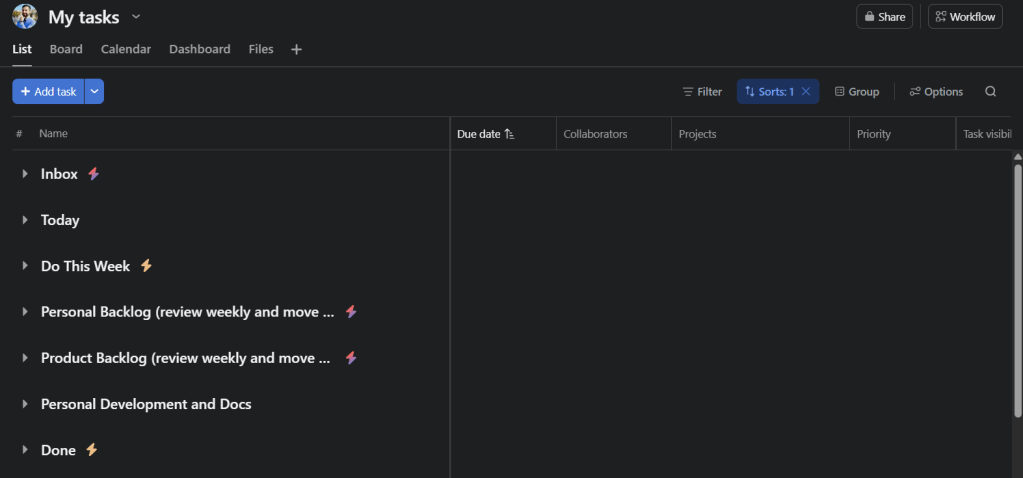
My personal space is divided into sections that stand for the work in the future, the work I need to do this week and Incoming tasks. I keep the automation rules stupid simple:
- Whenever a task is assigned to me, it appears in the inbox section and waits to be sorted;
- Whenever I assign a task to myself, it goes to Personal Backlog or Development and Docks automatically, depending on the name prefix;
- On Friday, the tasks due next week are moved to the Do This Week section, sorted by priority;
- Completed tasks are moved to Done section.
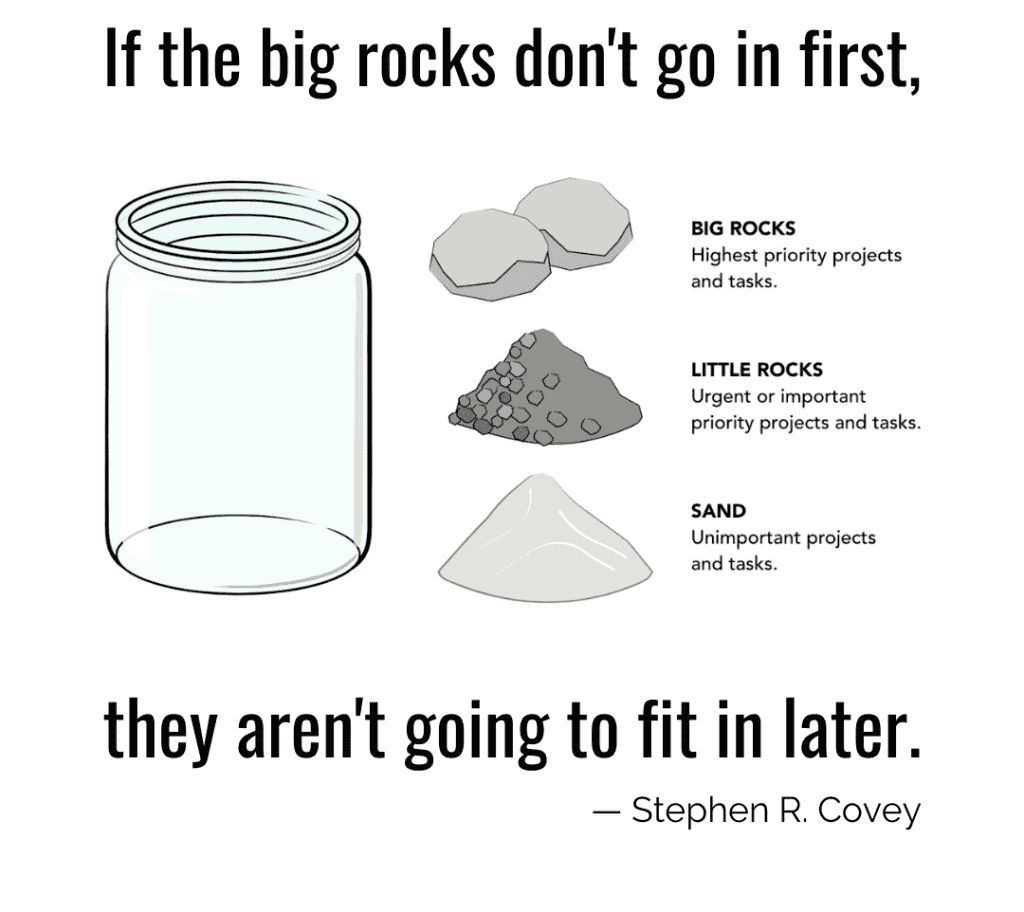
The tasks for Today I pick manually, so I can consciously decide what are “the big rocks” that I have to do first.
I pair it with quick notes in a simple notepad or (my personal favorite) the Momentum browser extension, which also pops up reminders and to-do snippets every time I open a new tab. It’s low-friction and keeps me accountable.
For my teams, I try to keep it simple but functional too. I set up custom views (often dynamically adjustable to the person who views it) so everyone can see their part without drowning in the whole project. Keeping the main team goal crystal clear through stand-ups and shared dashboards helps to align efforts.
I think it also makes sense to pick a single “source of truth” – a place (an app?) that will be the #1 go-to for alignment on tasks. In my current workplace, that is Asana: “if it’s not in Asana, it won’t be done”. The flood of tasks or just messages from every direction is distracting and makes prioritization way harder.
Lastly – both for the team and for your own good – nurture self-management. The setup will make things more organized and transparent but it won’t work if you are not committed to use it.
Until next time, hopefully, without such a prolonged break!
 Retrieving Thoughts